Yep, we may get a tiny thank-you (read: commission) when you buy through
links on Gadgetspotr — not enough for a yacht, but enough to keep the lights (and
servers) on.
Learn more
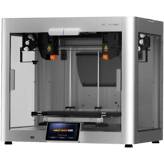
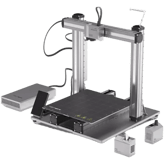
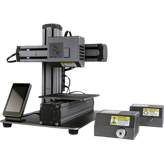
If general information, dimensions & weight, environmental & power & build specifications matters to you, this Snapmaker 2.0 Modular A250T 3d printer delivers. Alongside it, you get 138 total specs & features worth knowing.
A fast snapshot of the Snapmaker 2.0 Modular A250T, covering its standout specification and what you can expect right out of the box.
Snapmaker 2.0 Modular A250T
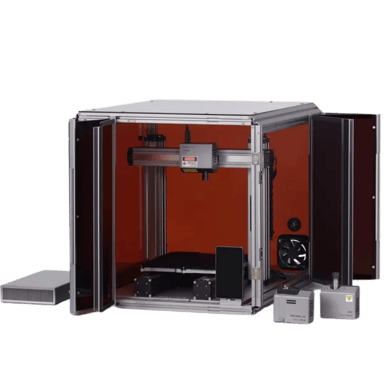
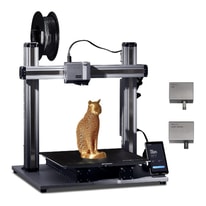
This "T" variant enhances the modular experience with a quieter 3D printing module and a more efficient cooling system. It maintains the 230 x 250 x 235 mm build volume while offering improved power management and a faster 5-inch touchscreen interface. The updated linear modules provide smoother motion, resulting in even finer detail for your engraved and 3D printed creations.
Specifications & Facts
138
Specs measured. Drama avoided.
We went full nerd on the Snapmaker 2.0 Modular A250T 3d printer. All specs included, plus how it stacks up against others in the 3d printers category. You vote the winner.
3D Printer in this range
Who knows?
(Help us out by suggesting one!)
Snapmaker 2.0 Modular A250T
This printer caters to all user levels from beginners to professionals, making it versatile for education, hobbyists, and industrial users.
Indicates the recommended skill level.
Don’t keep it to yourself — be the first to react and review the
Target User Level on Snapmaker 2.0 Modular A250T
◉ and help others decide!
Snapmaker 2.0 Modular A250T
Intended Use
What is the intended use?
0
Snapmaker 2.0 Modular A250T
0
Votes
Consumer, Educational, Professional
3D Printer in this range
Who knows?
(Help us out by suggesting one!)
Snapmaker 2.0 Modular A250T
The printer is suited for consumer, educational, and professional environments, demonstrating its flexibility in both learning and industrial contexts.
Identifies the main user category.
Don’t keep it to yourself — be the first to react and review the
Intended Use on Snapmaker 2.0 Modular A250T
◉ and help others decide!
3D Printer in this range
Who knows?
(Help us out by suggesting one!)
The commercial name of the 3D printer.
Don’t keep it to yourself — be the first to react and review the
Product Name on Snapmaker 2.0 Modular A250T
◉ and help others decide!
Snapmaker 2.0 Modular A250T
Warranty Period
What is the warranty period?
0
Snapmaker 2.0 Modular A250T
0
Votes
1 Year
3D Printer in this range
Who knows?
(Help us out by suggesting one!)
Coverage period offered by the manufacturer.
Don’t keep it to yourself — be the first to react and review the
Warranty Period on Snapmaker 2.0 Modular A250T
◉ and help others decide!
Snapmaker 2.0 Modular A250T
Model Number
What is the model number?
0
Snapmaker 2.0 Modular A250T
0
Votes
A250T
3D Printer in this range
Who knows?
(Help us out by suggesting one!)
Manufacturer’s reference code for precise identification.
Don’t keep it to yourself — be the first to react and review the
Model Number on Snapmaker 2.0 Modular A250T
◉ and help others decide!
Snapmaker 2.0 Modular A250T
Release Year
What is the release year?
0
Snapmaker 2.0 Modular A250T
0
Votes
2021
3D Printer in this range
Who knows?
(Help us out by suggesting one!)
The year the 3D printer was first released.
Don’t keep it to yourself — be the first to react and review the
Release Year on Snapmaker 2.0 Modular A250T
◉ and help others decide!
Snapmaker 2.0 Modular A250T
Printer Type
What type of printer is it?
0
Snapmaker 2.0 Modular A250T
0
Votes
FDM/FFF
3D Printer in this range
Who knows?
(Help us out by suggesting one!)
Defines the printing technology used by the machine.
Don’t keep it to yourself — be the first to react and review the
Printer Type on Snapmaker 2.0 Modular A250T
◉ and help others decide!
Snapmaker 2.0 Modular A250T
Country of Origin
What is the country of origin?
0
Snapmaker 2.0 Modular A250T
0
Votes
China
3D Printer in this range
Who knows?
(Help us out by suggesting one!)
The country where the product is designed or manufactured.
Don’t keep it to yourself — be the first to react and review the
Country of Origin on Snapmaker 2.0 Modular A250T
◉ and help others decide!
Dimensions & Weight
10
Snapmaker 2.0 Modular A250T
Width
What is the printer’s width?
16
inch
0Votes
3D Printer in this range
Who knows?
(Help us out by suggesting one!)
Snapmaker 2.0 Modular A250T
Width is bold 16 inches bold, or approximately bold 40.64 centimeters bold, an important physical dimension.
The total external width of the printer.
Don’t keep it to yourself — be the first to react and review the
Width on Snapmaker 2.0 Modular A250T
◉ and help others decide!
Snapmaker 2.0 Modular A250T
Depth
What is the printer’s depth?
16.7
inch
0Votes
3D Printer in this range
Who knows?
(Help us out by suggesting one!)
Snapmaker 2.0 Modular A250T
Depth is measured at bold 16.7 inches bold, approximately bold 42.42 centimeters bold, indicating the printer's front-to-back size.
The total external depth of the printer.
Don’t keep it to yourself — be the first to react and review the
Depth on Snapmaker 2.0 Modular A250T
◉ and help others decide!
Snapmaker 2.0 Modular A250T
Height
What is the printer’s height?
19.3
inch
0Votes
3D Printer in this range
Who knows?
(Help us out by suggesting one!)
Snapmaker 2.0 Modular A250T
Height is bold 19.3 inches bold, roughly bold 49 centimeters bold, an important dimension for workspace planning.
The total external height of the printer.
Don’t keep it to yourself — be the first to react and review the
Height on Snapmaker 2.0 Modular A250T
◉ and help others decide!
Snapmaker 2.0 Modular A250T
Weight
What is the printer’s weight?
34.39
lbs
0Votes
3D Printer in this range
Who knows?
(Help us out by suggesting one!)
Snapmaker 2.0 Modular A250T
The device weight is bold 34.39 pounds bold, approximately bold 15.6 kilograms bold, indicating it is relatively portable for its class.
Net weight of the printer.
Don’t keep it to yourself — be the first to react and review the
Weight on Snapmaker 2.0 Modular A250T
◉ and help others decide!
Snapmaker 2.0 Modular A250T
Package Width
What is the package width?
21.65
inch
0Votes
3D Printer in this range
Who knows?
(Help us out by suggesting one!)
Snapmaker 2.0 Modular A250T
The package width measures bold 21.65 inches bold, equivalent to about bold 55.01 centimeters bold, indicating the printer's transport footprint width.
Width of the printer’s packaging.
Don’t keep it to yourself — be the first to react and review the
Package Width on Snapmaker 2.0 Modular A250T
◉ and help others decide!
Snapmaker 2.0 Modular A250T
Package Depth
What is the package depth?
22.83
inch
0Votes
3D Printer in this range
Who knows?
(Help us out by suggesting one!)
Snapmaker 2.0 Modular A250T
Package depth of bold 22.83 inches bold converts to about bold 57.98 centimeters bold, relevant for shipping and storage.
Depth of the printer’s packaging.
Don’t keep it to yourself — be the first to react and review the
Package Depth on Snapmaker 2.0 Modular A250T
◉ and help others decide!
Snapmaker 2.0 Modular A250T
Package Height
What is the package height?
12.2
inch
0Votes
3D Printer in this range
Who knows?
(Help us out by suggesting one!)
Snapmaker 2.0 Modular A250T
Package height is bold 12.2 inches bold, about bold 31 centimeters bold, indicating vertical size for packaging.
Height of the printer’s packaging.
Don’t keep it to yourself — be the first to react and review the
Package Height on Snapmaker 2.0 Modular A250T
◉ and help others decide!
Snapmaker 2.0 Modular A250T
Build-to-Printer Size Ratio
What is the build-to-printer size ratio?
23.4
%
0Votes
3D Printer in this range
Who knows?
(Help us out by suggesting one!)
Snapmaker 2.0 Modular A250T
The build-to-printer size ratio is bold 23.4% bold, indicating the build volume relative to the printer's size, a useful metric for spatial efficiency.
The efficiency ratio of build volume relative to the overall printer size.
Don’t keep it to yourself — be the first to react and review the
Build-to-Printer Size Ratio on Snapmaker 2.0 Modular A250T
◉ and help others decide!
Snapmaker 2.0 Modular A250T
Space Requirement
What is the space requirement?
4.3
sq ft
0Votes
3D Printer in this range
Who knows?
(Help us out by suggesting one!)
Snapmaker 2.0 Modular A250T
The required space is bold 4.3 square feet bold, which is approximately bold 0.4 square meters bold, fitting comfortably in most work areas.
The minimum flat surface area needed to safely place the printer.
Don’t keep it to yourself — be the first to react and review the
Space Requirement on Snapmaker 2.0 Modular A250T
◉ and help others decide!
Snapmaker 2.0 Modular A250T
Package Weight
What is the package weight?
48.5
lbs
0Votes
3D Printer in this range
Who knows?
(Help us out by suggesting one!)
total shipping weight including packaging.
Don’t keep it to yourself — be the first to react and review the
Package Weight on Snapmaker 2.0 Modular A250T
◉ and help others decide!
Environmental & Power
6
Snapmaker 2.0 Modular A250T
Operating Humidity Range
What is the operating humidity range?
0
Snapmaker 2.0 Modular A250T
0
Votes
10-90%
3D Printer in this range
Who knows?
(Help us out by suggesting one!)
Snapmaker 2.0 Modular A250T
It operates efficiently within a humidity range of 10 to 90%, broadening usability in varying environments.
Acceptable humidity range during printer operation.
Don’t keep it to yourself — be the first to react and review the
Operating Humidity Range on Snapmaker 2.0 Modular A250T
◉ and help others decide!
Snapmaker 2.0 Modular A250T
Power Supply Type
What type of power supply does it use?
0
Snapmaker 2.0 Modular A250T
0
Votes
External
3D Printer in this range
Who knows?
(Help us out by suggesting one!)
Snapmaker 2.0 Modular A250T
An external power supply is used, which can simplify cooling and maintenance.
Indicates whether the printer uses an internal or external power supply.
Don’t keep it to yourself — be the first to react and review the
Power Supply Type on Snapmaker 2.0 Modular A250T
◉ and help others decide!
Snapmaker 2.0 Modular A250T
Power Supply Voltage
What is the required power supply voltage?
0
Snapmaker 2.0 Modular A250T
0
Votes
100-240 Volt
3D Printer in this range
Who knows?
(Help us out by suggesting one!)
Snapmaker 2.0 Modular A250T
The power supply voltage supports a wide range of electrical systems from 100 to 240 volts, making it adaptable worldwide.
Voltage input supported by the printer’s power supply.
Don’t keep it to yourself — be the first to react and review the
Power Supply Voltage on Snapmaker 2.0 Modular A250T
◉ and help others decide!
Snapmaker 2.0 Modular A250T
Power Consumption
What is the power consumption?
320
Watt
0Votes
3D Printer in this range
Who knows?
(Help us out by suggesting one!)
Snapmaker 2.0 Modular A250T
The printer's power consumption is about bold 320 watts bold, indicating its electrical efficiency during operation.
Average power usage during active printing.
Don’t keep it to yourself — be the first to react and review the
Power Consumption on Snapmaker 2.0 Modular A250T
◉ and help others decide!
Snapmaker 2.0 Modular A250T
Energy Saving Mode
Does it have energy saving mode?
Yes
0Votes
Snapmaker 2.0 Modular A250T
3D Printer in this range
Who knows?
(Help us out by suggesting one!)
Snapmaker 2.0 Modular A250T
Energy saving mode is enabled, reducing power consumption during idle periods to lower operational costs and environmental impact.
Whether the printer includes an energy-saving or eco mode.
Don’t keep it to yourself — be the first to react and review the
Energy Saving Mode on Snapmaker 2.0 Modular A250T
◉ and help others decide!
Snapmaker 2.0 Modular A250T
Operating Temperature Range
What is the operating temperature range?
0
Snapmaker 2.0 Modular A250T
0
Votes
41-95°F
3D Printer in this range
Who knows?
(Help us out by suggesting one!)
Recommended ambient temperature range for safe operation.
Don’t keep it to yourself — be the first to react and review the
Operating Temperature Range on Snapmaker 2.0 Modular A250T
◉ and help others decide!
Build Specifications
18
Snapmaker 2.0 Modular A250T
Build Width
What is the build width?
9.1
inch
0Votes
3D Printer in this range
Who knows?
(Help us out by suggesting one!)
Snapmaker 2.0 Modular A250T
The build width is bold 9.1 inches bold or about bold 23.11 centimeters bold, defining the maximum printable object's width.
Maximum printable width of the build area.
Don’t keep it to yourself — be the first to react and review the
Build Width on Snapmaker 2.0 Modular A250T
◉ and help others decide!
Snapmaker 2.0 Modular A250T
Build Depth
What is the build depth?
9.8
inch
0Votes
3D Printer in this range
Who knows?
(Help us out by suggesting one!)
Snapmaker 2.0 Modular A250T
Build depth is bold 9.8 inches bold or roughly bold 24.89 centimeters bold, indicating the front-to-back capacity of the print area.
Maximum printable depth of the build area.
Don’t keep it to yourself — be the first to react and review the
Build Depth on Snapmaker 2.0 Modular A250T
◉ and help others decide!
Snapmaker 2.0 Modular A250T
Build Height
What is the build height?
9.3
inch
0Votes
3D Printer in this range
Who knows?
(Help us out by suggesting one!)
Snapmaker 2.0 Modular A250T
Build height is bold 9.3 inches bold or about bold 23.62 centimeters bold, indicating the maximum vertical size of the print.
Maximum printable height of the build area.
Don’t keep it to yourself — be the first to react and review the
Build Height on Snapmaker 2.0 Modular A250T
◉ and help others decide!
Snapmaker 2.0 Modular A250T
Build Volume
What is the build volume?
824.53
cubic in
0Votes
3D Printer in this range
Who knows?
(Help us out by suggesting one!)
Snapmaker 2.0 Modular A250T
The build volume is bold 824.53 cubic inches bold, which converts to approximately bold 13,518.21 cubic centimeters bold, providing ample space for mid-sized parts.
total printable volume capacity.
Don’t keep it to yourself — be the first to react and review the
Build Volume on Snapmaker 2.0 Modular A250T
◉ and help others decide!
3D Printer in this range
Who knows?
(Help us out by suggesting one!)
Snapmaker 2.0 Modular A250T
The filament diameter supported is bold 1.75 millimeters bold, a common standard in desktop 3D printing.
The filament size compatible with printer.
Don’t keep it to yourself — be the first to react and review the
Filament Diameter Supported on Snapmaker 2.0 Modular A250T
◉ and help others decide!
Snapmaker 2.0 Modular A250T
Max Extruder Temperature
What is the max extruder temperature?
527
°F
0Votes
3D Printer in this range
Who knows?
(Help us out by suggesting one!)
Snapmaker 2.0 Modular A250T
The maximum extruder temperature is bold 527 °F bold, approximately bold 275 °C bold, enabling printing with a wide range of filaments including high-temperature materials.
Maximum heating capability of extruder.
Don’t keep it to yourself — be the first to react and review the
Max Extruder Temperature on Snapmaker 2.0 Modular A250T
◉ and help others decide!
Snapmaker 2.0 Modular A250T
Max Bed Temperature
What is the max bed temperature?
212
°F
0Votes
3D Printer in this range
Who knows?
(Help us out by suggesting one!)
Snapmaker 2.0 Modular A250T
The maximum bed temperature is bold 212 °F bold, approximately bold 100 °C bold, suitable for most common filament types including ABS.
Maximum heated bed temperature.
Don’t keep it to yourself — be the first to react and review the
Max Bed Temperature on Snapmaker 2.0 Modular A250T
◉ and help others decide!
Snapmaker 2.0 Modular A250T
Number of Extruders
How many extruders does the printer have?
0
Snapmaker 2.0 Modular A250T
0
Votes
1
3D Printer in this range
Who knows?
(Help us out by suggesting one!)
Snapmaker 2.0 Modular A250T
Equipped with a single extruder, the printer is optimized for single-material printing jobs.
total extruders installed.
Don’t keep it to yourself — be the first to react and review the
Number of Extruders on Snapmaker 2.0 Modular A250T
◉ and help others decide!
Snapmaker 2.0 Modular A250T
Hotend Replaceable
Is the hotend replaceable?
Yes
0Votes
Snapmaker 2.0 Modular A250T
3D Printer in this range
Who knows?
(Help us out by suggesting one!)
Snapmaker 2.0 Modular A250T
The hotend is replaceable, facilitating maintenance and customization for different printing needs.
Whether the hotend can be replaced.
Don’t keep it to yourself — be the first to react and review the
Hotend Replaceable on Snapmaker 2.0 Modular A250T
◉ and help others decide!
Snapmaker 2.0 Modular A250T
Extruder Drive Type
What type of extruder drive does it use?
0
Snapmaker 2.0 Modular A250T
0
Votes
Direct Drive
3D Printer in this range
Who knows?
(Help us out by suggesting one!)
Snapmaker 2.0 Modular A250T
The extruder drive type is direct drive, which usually enhances retraction performance and printing of flexible filaments.
The type of filament feeding system.
Don’t keep it to yourself — be the first to react and review the
Extruder Drive Type on Snapmaker 2.0 Modular A250T
◉ and help others decide!
Snapmaker 2.0 Modular A250T
Heated Chamber
Does the printer have a heated chamber?
No
0Votes
Snapmaker 2.0 Modular A250T
3D Printer in this range
Who knows?
(Help us out by suggesting one!)
Whether the printer has a heated build chamber.
Don’t keep it to yourself — be the first to react and review the
Heated Chamber on Snapmaker 2.0 Modular A250T
◉ and help others decide!
Snapmaker 2.0 Modular A250T
Dual Extruders
Does it support dual extruders?
No
0Votes
Snapmaker 2.0 Modular A250T
3D Printer in this range
Who knows?
(Help us out by suggesting one!)
Indicates if printer can run dual extruders.
Don’t keep it to yourself — be the first to react and review the
Dual Extruders on Snapmaker 2.0 Modular A250T
◉ and help others decide!
3D Printer in this range
Who knows?
(Help us out by suggesting one!)
Snapmaker 2.0 Modular A250T
Supported filament types include PLA, which is widely used for its ease and quality in printing.
Filament materials that the printer can process.
Don’t keep it to yourself — be the first to react and review the
Supported Filament Types on Snapmaker 2.0 Modular A250T
◉ and help others decide!
Snapmaker 2.0 Modular A250T
Third-Party Material
Does it support third-party materials?
Yes
0Votes
Snapmaker 2.0 Modular A250T
3D Printer in this range
Who knows?
(Help us out by suggesting one!)
Snapmaker 2.0 Modular A250T
Compatible with third-party materials, giving users more flexibility in material selection and cost optimization.
Ability to use non-proprietary materials.
Don’t keep it to yourself — be the first to react and review the
Third-Party Material on Snapmaker 2.0 Modular A250T
◉ and help others decide!
Snapmaker 2.0 Modular A250T
Supported Resin Types
What resin types are supported?
0
Snapmaker 2.0 Modular A250T
0
Votes
None
3D Printer in this range
Who knows?
(Help us out by suggesting one!)
Snapmaker 2.0 Modular A250T
The printer does not support resin printing, indicating it is focused on filament-based (FDM) technologies.
Resin types that the printer can use.
Don’t keep it to yourself — be the first to react and review the
Supported Resin Types on Snapmaker 2.0 Modular A250T
◉ and help others decide!
Snapmaker 2.0 Modular A250T
Max Supported Filament Diameter
What is the maximum supported filament diameter?
1.75
mm
0Votes
3D Printer in this range
Who knows?
(Help us out by suggesting one!)
Maximum filament diameter that can be used.
Don’t keep it to yourself — be the first to react and review the
Max Supported Filament Diameter on Snapmaker 2.0 Modular A250T
◉ and help others decide!
Snapmaker 2.0 Modular A250T
Filament Dry Box
Does it support filament dry boxes?
No
0Votes
Snapmaker 2.0 Modular A250T
3D Printer in this range
Who knows?
(Help us out by suggesting one!)
Supports use of a dry box to prevent filament moisture issues.
Don’t keep it to yourself — be the first to react and review the
Filament Dry Box on Snapmaker 2.0 Modular A250T
◉ and help others decide!
Snapmaker 2.0 Modular A250T
Filament Auto-Loading
Does it have filament auto-loading?
No
0Votes
Snapmaker 2.0 Modular A250T
3D Printer in this range
Who knows?
(Help us out by suggesting one!)
Automatic feeding of filament into extruder.
Don’t keep it to yourself — be the first to react and review the
Filament Auto-Loading on Snapmaker 2.0 Modular A250T
◉ and help others decide!
3D Printer in this range
Who knows?
(Help us out by suggesting one!)
Ability to print with multiple materials simultaneously.
Don’t keep it to yourself — be the first to react and review the
Multi-Material Printing on Snapmaker 2.0 Modular A250T
◉ and help others decide!
Snapmaker 2.0 Modular A250T
Max Number of Materials Supported
What is the maximum number of materials supported?
0
Snapmaker 2.0 Modular A250T
0
Votes
1
3D Printer in this range
Who knows?
(Help us out by suggesting one!)
Maximum distinct materials supported in one job.
Don’t keep it to yourself — be the first to react and review the
Max Number of Materials Supported on Snapmaker 2.0 Modular A250T
◉ and help others decide!
Snapmaker 2.0 Modular A250T
Biocompatible Materials Support
Does it support biocompatible materials?
No
0Votes
Snapmaker 2.0 Modular A250T
3D Printer in this range
Who knows?
(Help us out by suggesting one!)
Supports resins/filaments approved for medical or dental use.
Don’t keep it to yourself — be the first to react and review the
Biocompatible Materials Support on Snapmaker 2.0 Modular A250T
◉ and help others decide!
Print Speed & Performance
8
Snapmaker 2.0 Modular A250T
Official Max Print Speed
What is the official max print speed?
100
mm/s
0Votes
3D Printer in this range
Who knows?
(Help us out by suggesting one!)
Snapmaker 2.0 Modular A250T
Official maximum print speed is bold 100 millimeters per second bold, enabling reasonable speed while maintaining quality.
Manufacturer-claimed maximum print speed.
Don’t keep it to yourself — be the first to react and review the
Official Max Print Speed on Snapmaker 2.0 Modular A250T
◉ and help others decide!
Snapmaker 2.0 Modular A250T
Print Accuracy
What is the print accuracy?
50
microns
0Votes
3D Printer in this range
Who knows?
(Help us out by suggesting one!)
Snapmaker 2.0 Modular A250T
Print accuracy is at a fine resolution of bold 50 microns bold, enabling detailed and high-quality prints.
Degree of dimensional accuracy of printed parts.
Don’t keep it to yourself — be the first to react and review the
Print Accuracy on Snapmaker 2.0 Modular A250T
◉ and help others decide!
Snapmaker 2.0 Modular A250T
Print Adhesion Type
What type of print adhesion is used?
0
Snapmaker 2.0 Modular A250T
0
Votes
PEI
3D Printer in this range
Who knows?
(Help us out by suggesting one!)
Snapmaker 2.0 Modular A250T
The primary print adhesion method is PEI, providing reliable first-layer adhesion for common filaments without additional adhesives.
Method used to secure prints to the bed.
Don’t keep it to yourself — be the first to react and review the
Print Adhesion Type on Snapmaker 2.0 Modular A250T
◉ and help others decide!
Snapmaker 2.0 Modular A250T
Print Recovery
Does the printer support print recovery?
Yes
0Votes
Snapmaker 2.0 Modular A250T
3D Printer in this range
Who knows?
(Help us out by suggesting one!)
Snapmaker 2.0 Modular A250T
Print recovery is supported, allowing for resumption after interruptions, thus minimizing failed prints and material waste.
Ability to resume print after power loss or interruption.
Don’t keep it to yourself — be the first to react and review the
Print Recovery on Snapmaker 2.0 Modular A250T
◉ and help others decide!
Snapmaker 2.0 Modular A250T
Operating Noise Level
What is the operating noise level?
50
dB
0Votes
3D Printer in this range
Who knows?
(Help us out by suggesting one!)
Snapmaker 2.0 Modular A250T
Operating noise level is moderate at bold 50 dB bold, making it reasonably quiet during printing.
Measures the sound generated during printing; lower is quieter.
Don’t keep it to yourself — be the first to react and review the
Operating Noise Level on Snapmaker 2.0 Modular A250T
◉ and help others decide!
Snapmaker 2.0 Modular A250T
Print Quality Rating
What is the print quality rating?
0
Snapmaker 2.0 Modular A250T
0
Votes
8
3D Printer in this range
Who knows?
(Help us out by suggesting one!)
Snapmaker 2.0 Modular A250T
Print quality rating of bold 8 out of 10 bold reflects high quality and precision in printing outputs.
Rated score for overall print quality (0–10).
Don’t keep it to yourself — be the first to react and review the
Print Quality Rating on Snapmaker 2.0 Modular A250T
◉ and help others decide!
Snapmaker 2.0 Modular A250T
First Layer Calibration
How is the first layer calibrated?
0
Snapmaker 2.0 Modular A250T
0
Votes
Auto
3D Printer in this range
Who knows?
(Help us out by suggesting one!)
Method used for first-layer bed calibration.
Don’t keep it to yourself — be the first to react and review the
First Layer Calibration on Snapmaker 2.0 Modular A250T
◉ and help others decide!
3D Printer in this range
Who knows?
(Help us out by suggesting one!)
Detects failed prints or filament tangles.
Don’t keep it to yourself — be the first to react and review the
Spaghetti/Fault Detection on Snapmaker 2.0 Modular A250T
◉ and help others decide!
Hardware Features
20
Snapmaker 2.0 Modular A250T
Enclosure
Is the printer open or enclosed?
0
Snapmaker 2.0 Modular A250T
0
Votes
Open
3D Printer in this range
Who knows?
(Help us out by suggesting one!)
Snapmaker 2.0 Modular A250T
The enclosure type is open, meaning the build area is exposed, typical for filament printers but requiring controlled environments for certain materials.
Whether the printer has an open or enclosed build chamber.
Don’t keep it to yourself — be the first to react and review the
Enclosure on Snapmaker 2.0 Modular A250T
◉ and help others decide!
Snapmaker 2.0 Modular A250T
Screen Size
What is the display screen size?
5
Inch
0Votes
3D Printer in this range
Who knows?
(Help us out by suggesting one!)
Snapmaker 2.0 Modular A250T
The touchscreen display size is bold 5 inches bold, offering an intuitive interface for easier control and monitoring.
Size of the display screen.
Don’t keep it to yourself — be the first to react and review the
Screen Size on Snapmaker 2.0 Modular A250T
◉ and help others decide!
3D Printer in this range
Who knows?
(Help us out by suggesting one!)
Whether use of manufacturer’s software is mandatory.
Don’t keep it to yourself — be the first to react and review the
Proprietary Software Required on Snapmaker 2.0 Modular A250T
◉ and help others decide!
3D Printer in this range
Who knows?
(Help us out by suggesting one!)
Snapmaker 2.0 Modular A250T
Post-processing equipment compatibility is available, enabling integration with tools that improve or finish prints.
Whether the printer supports integration with wash/cure stations.
Don’t keep it to yourself — be the first to react and review the
Post-Processing Equipment Compatibility on Snapmaker 2.0 Modular A250T
◉ and help others decide!
Snapmaker 2.0 Modular A250T
UV Light Source Type
What UV light source type does it use?
0
Snapmaker 2.0 Modular A250T
0
Votes
None
3D Printer in this range
Who knows?
(Help us out by suggesting one!)
Type of UV light source used to cure resin layers.
Don’t keep it to yourself — be the first to react and review the
UV Light Source Type on Snapmaker 2.0 Modular A250T
◉ and help others decide!
3D Printer in this range
Who knows?
(Help us out by suggesting one!)
Snapmaker 2.0 Modular A250T
Supported modular kits include options such as enclosure, laser, CNC, and multi-material, allowing the printer to be adapted for different uses beyond 3D printing.
Officially supported modification kits.
Don’t keep it to yourself — be the first to react and review the
Supported Mod Kits on Snapmaker 2.0 Modular A250T
◉ and help others decide!
Snapmaker 2.0 Modular A250T
Self-Diagnostics
Does it have self-diagnostics?
Yes
0Votes
Snapmaker 2.0 Modular A250T
3D Printer in this range
Who knows?
(Help us out by suggesting one!)
Snapmaker 2.0 Modular A250T
Self-diagnostics features help in identifying issues early, aiding in troubleshooting and reducing downtime.
Printer can analyze itself for common faults and errors.
Don’t keep it to yourself — be the first to react and review the
Self-Diagnostics on Snapmaker 2.0 Modular A250T
◉ and help others decide!
Snapmaker 2.0 Modular A250T
Upgrade Options
What upgrade options are supported?
0
Snapmaker 2.0 Modular A250T
0
Votes
Laser, CNC
3D Printer in this range
Who knows?
(Help us out by suggesting one!)
Supported upgrade kits and modules for expanding functionality.
Don’t keep it to yourself — be the first to react and review the
Upgrade Options on Snapmaker 2.0 Modular A250T
◉ and help others decide!
Snapmaker 2.0 Modular A250T
Maintenance Reminders
Does it provide maintenance reminders?
No
0Votes
Snapmaker 2.0 Modular A250T
3D Printer in this range
Who knows?
(Help us out by suggesting one!)
Automated alerts to schedule maintenance tasks.
Don’t keep it to yourself — be the first to react and review the
Maintenance Reminders on Snapmaker 2.0 Modular A250T
◉ and help others decide!
3D Printer in this range
Who knows?
(Help us out by suggesting one!)
Predicts potential failures and alerts the user before issues arise.
Don’t keep it to yourself — be the first to react and review the
Predictive Maintenance Alerts on Snapmaker 2.0 Modular A250T
◉ and help others decide!
Snapmaker 2.0 Modular A250T
Tool-Free Maintenance
Is tool-free maintenance supported?
No
0Votes
Snapmaker 2.0 Modular A250T
3D Printer in this range
Who knows?
(Help us out by suggesting one!)
Allows key maintenance tasks without tools.
Don’t keep it to yourself — be the first to react and review the
Tool-Free Maintenance on Snapmaker 2.0 Modular A250T
◉ and help others decide!
Snapmaker 2.0 Modular A250T
Lubrication Required
Does it require lubrication?
Yes
0Votes
Snapmaker 2.0 Modular A250T
3D Printer in this range
Who knows?
(Help us out by suggesting one!)
Indicates if lubrication is needed for smooth operation.
Don’t keep it to yourself — be the first to react and review the
Lubrication Required on Snapmaker 2.0 Modular A250T
◉ and help others decide!
Business & Professional Features
10
Snapmaker 2.0 Modular A250T
Remote Access Control
Does it support remote access control?
Yes
0Votes
Snapmaker 2.0 Modular A250T
3D Printer in this range
Who knows?
(Help us out by suggesting one!)
Snapmaker 2.0 Modular A250T
Remote access control allows users to operate the printer from different locations, improving convenience and workflow management.
Ability to control printer access remotely with permissions.
Don’t keep it to yourself — be the first to react and review the
Remote Access Control on Snapmaker 2.0 Modular A250T
◉ and help others decide!
Snapmaker 2.0 Modular A250T
Print Farm Management
Does it support print farm management?
No
0Votes
Snapmaker 2.0 Modular A250T
3D Printer in this range
Who knows?
(Help us out by suggesting one!)
Indicates if multiple printers can be networked and managed as a farm.
Don’t keep it to yourself — be the first to react and review the
Print Farm Management on Snapmaker 2.0 Modular A250T
◉ and help others decide!
 Supermod
 Moderator